The redesigned Stackby Enterprise Admin Panel is a centralized command center for managing your entire organization — with dedicated sections for Users, Workspaces, and Stacks.
In this article
Overview
Availability
Accessing the Admin Panel
Users section
Workspaces section
Stacks section
Audit trail
AI usage
Setting
Related articles
The Enterprise Admin Panel gives organization administrators complete visibility and control over their Stackby deployment — without needing to be a direct member of every workspace or stack.
Available on: Enterprise plan only
Access requires: Organization Admin or Super Admin role
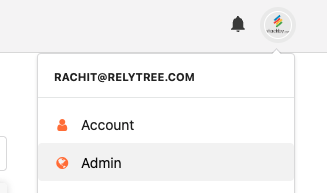
The Admin Panel can be reached one of two ways:
From the Stackby dashboard page, admins will see the “Admin” option after clicking on the profile icon in the upper right corner.
If you are logged directly into an Stackby account that has admin credentials, then you can type stackby.com/admin into your browser’s URL bar.
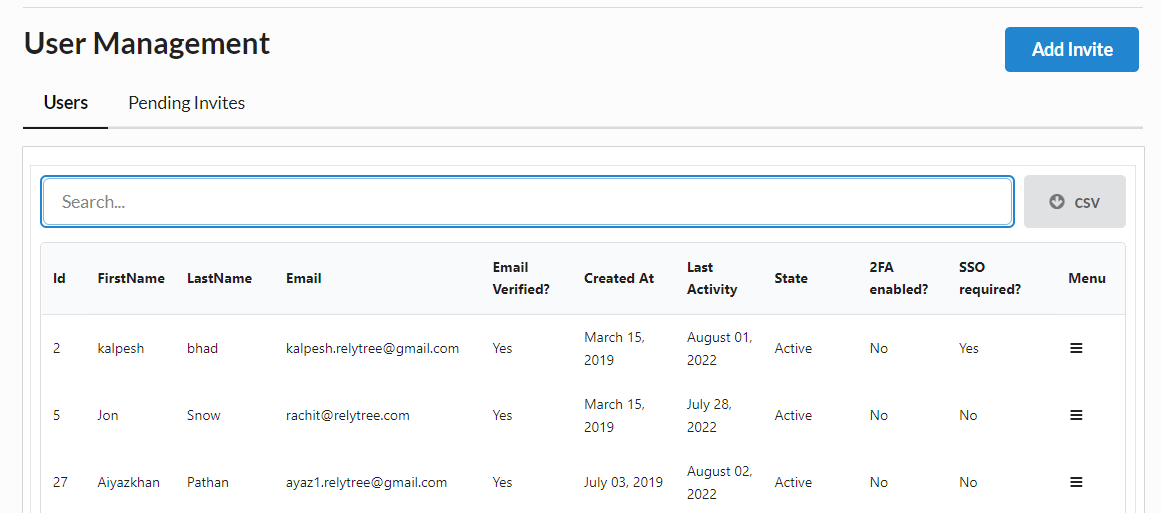
View all active and pending users with role, last active date, and workspace memberships
Invite new users to the organization
Change organization-level roles
Deactivate or remove users
Search and filter by name, email, role, or department
View all workspaces with owner, member count, and last activity
Access workspace settings administratively without being a workspace member
Monitor storage usage per workspace
Reassign workspace ownership
Browse all Stacks across all workspaces in one place
Filter by workspace, owner, last activity, or created date
Access a Stack's settings or activity log without being a direct Stack member
Archive or transfer ownership of Stacks
Track all user and system activities across the organization.
Monitor changes made to workspaces, stacks, records, automations, and user accounts.
Review activity logs for auditing, troubleshooting, and compliance purposes.
Filter and search audit logs to quickly find specific events.
Monitor AI requests, conversations, and token consumption across the organization.
View AI usage by model, user, and selected time period.
Track estimated AI costs and identify high-usage users.
Analyze AI adoption to optimize usage and spending.
Configure organization-wide administrative settings.
Manage authentication and security options, including SSO and other access controls.
Update Enterprise-level preferences and system configurations.
Centralize settings to ensure consistent management across the organization.
Enterprise Admin: Audit Trail
Enterprise Admin: AI Settings & Governance
Enterprise Admin: Organization Settings