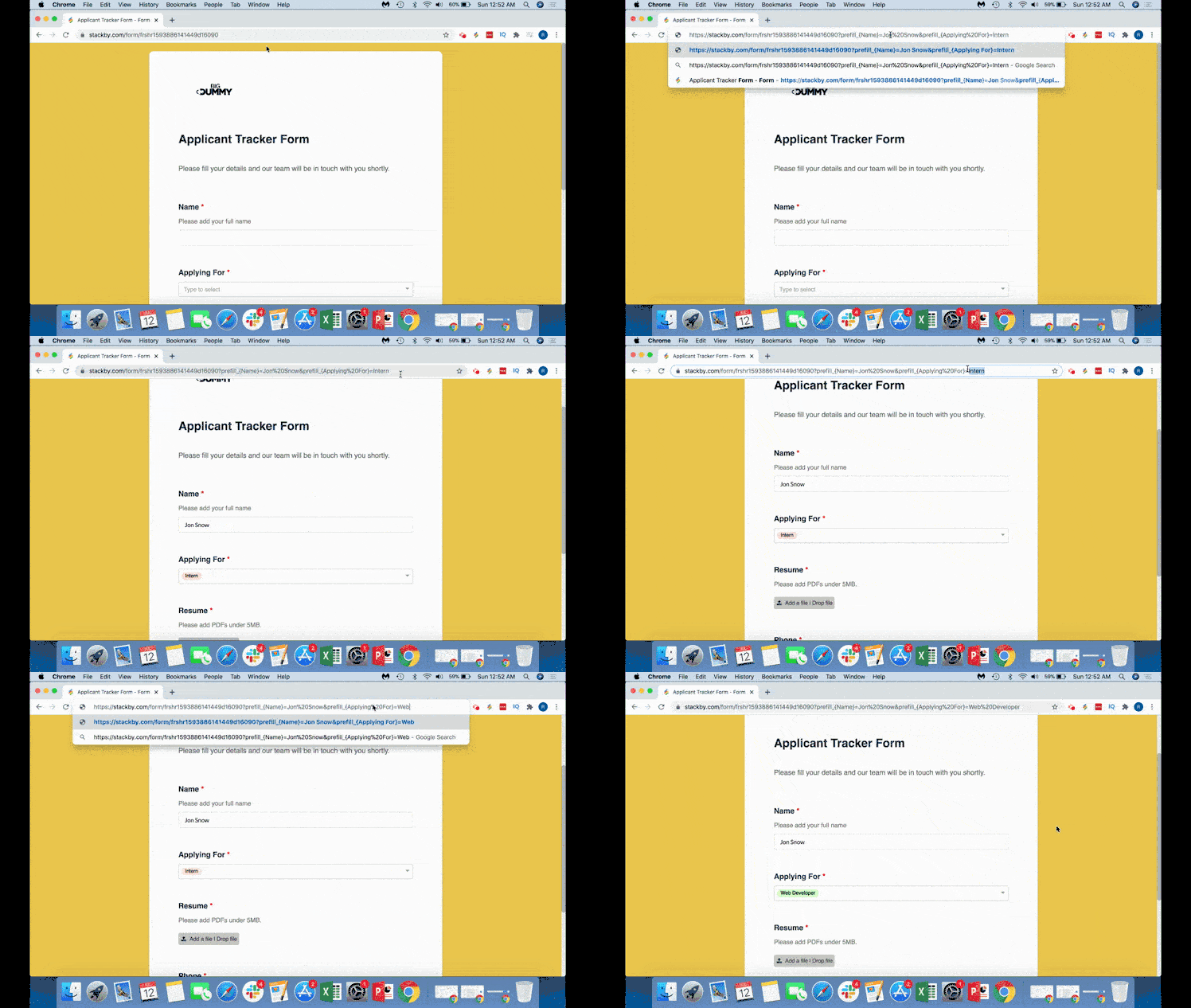
Forms are super simple in Stackby.
You can create both custom forms and updatable forms, in minutes.
You can prefill the form URL to prefill specific columns in the form.
Just find the form URL and use the following syntax after the form URL
?prefill_{ColumnName}=CellValue You first start with a ? after the form URL, then add
prefill_ then reference the column name prefill_{Reference the column name}
Note: Always reference column name in a curly bracket
and then use the equal to = to add exact information
?prefill_{FirstName}=JonIf you need to prefill more columns, just use ampersand &
?prefill_{FirstName}=Jon&prefill_{LastName}=SnowIf you need to add space in between either column names or column information, use %20
prefill_{First%20Name}=Jon%20SnowHere's a video on how you can do it: