
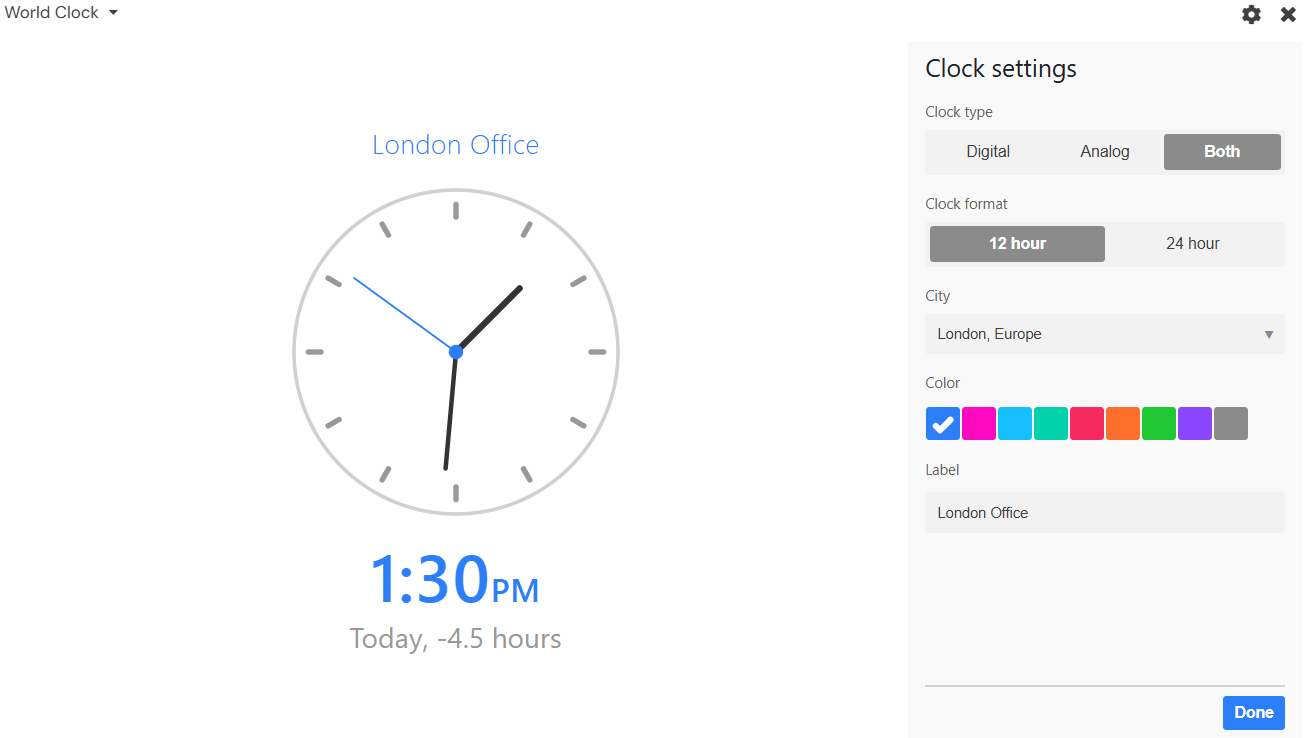
The World Clock app in Stackby lets you view the current time for different locations around the world. You can customize the clock display and select the city or time zone you want to track.
Key Features
Clock Type: Choose Digital, Analog, or Both.
Clock Format: Select 12-hour or 24-hour format.
City: Select the location whose time you want to display.
Color: Choose a color for the clock.
Label: Add a custom label such as London Office or New York Team.
How to Use
Add the World Clock app to your Stack.
Click the Settings icon.
Select the Clock Type and Clock Format.
Choose a City.
Select a Color and add a Label if required.
Click Done to save the settings.
The clock automatically displays the current local time for the selected location, making it easy to coordinate with teams, customers, and offices across different time zones.